9:41 Tue Apr 1
Add Zone
Jet Mop
Room
Home
Zone
Start Cleaning
Station
Tab
Route
- Fast: Wider-spaced paths for quicker cleaning.
- Standard: Balanced path density for everyday use.
- Complete: Tightly spaced paths for thorough cleaning.
OK
Jet Mop
Sprays water on a zone, then mops it. Good for dried spills and sticky spots.
Draw a zone where the stain isDrag to move or resize, up to 4 m².
Remove items that can't get wet from the zoneLike cables and power strips.
Tap StartThe robot washes its mop first, avoids carpets and no-go zones, and returns to the dock when done.
Draw Zone
Cleaning in progress. Do you want to stop the current cleaning job and set up a new one?
Stop Current Cleaning
Cancel
Exit Jet Mop?Jet Mop supports only one zone. Exit it to add more zones.
Cancel
Exit
OK
The spray area is not on the map and the robot vacuum may not be able to reach it. Continue cleaning?
Cancel
Continue
This feature is currently unavailable.
OK
View Details
Troubleshooting
Try the following troubleshooting tips
- Mapping not complete. Please wait for it to complete.
- Mapping failed. Try to create a map again, but the previous cleaning settings will be lost.
Alternatively, you can start a whole house cleaning and the robot vacuum will update the map while cleaning.
OK
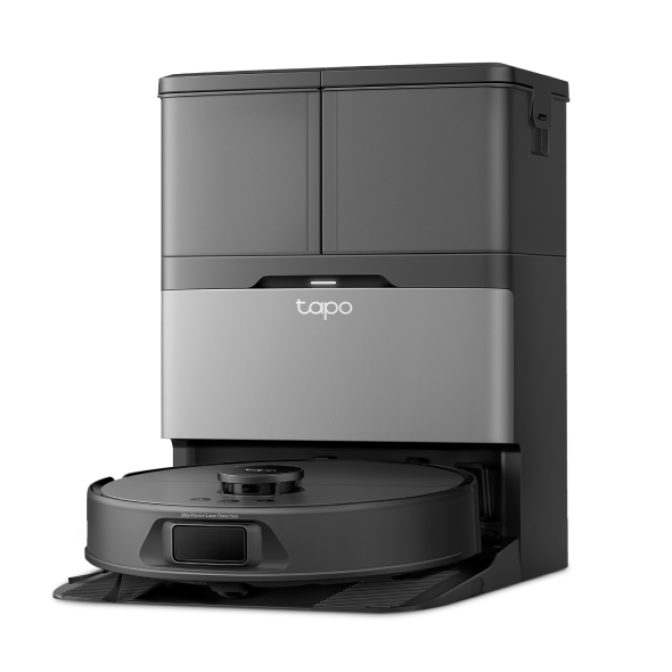
Tapo RV60 AI Roller
80%
Cleaned Area
Cleaning Time
Tapo RV60 AI Roller
One robot for daily vacuuming, roller mopping and Jet Mop spraying on tough stains.
Success